
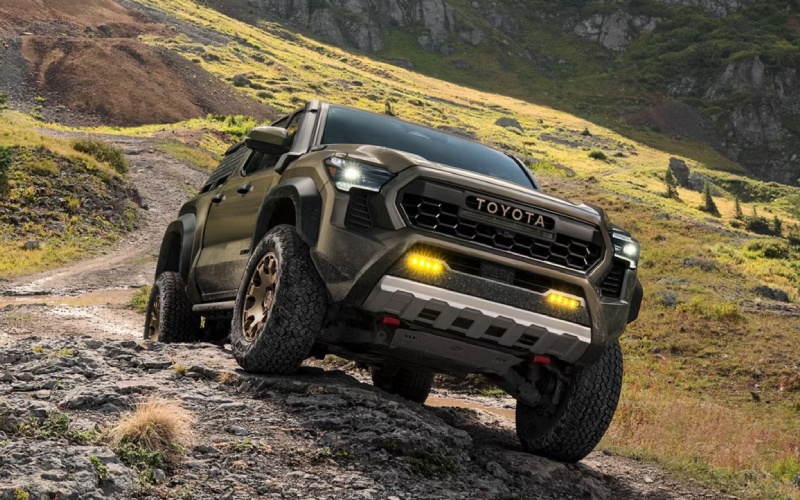
Glen Toyota - Can the 2026 Toyota Tacoma Help Me Back a Trailer Into a Hawthorne, NJ Driveway?
Backing a trailer into a narrow driveway off Lafayette Ave or Goffle Rd can feel like a test of patience and precision. With the 2026 Toyota Tacoma, that stress eases right away thanks to available Trailer Backup Guide with Straight Path Assist and a suite of towing-focused tools that help you line up cleanly, see clearly, and move with confidence. At Glen Toyota, we help shoppers near Hawthorne, NJ understand how these features work in real driveways and parking areas—not just in a brochure.
If you haul a small boat to weekend launches, tow a pop-up to campsites north of town, or just move landscaping equipment around Hawthorne’s side streets, the latest Tacoma pairs brains and brawn. Available i-FORCE MAX power ensures strong low-end response, while technology like the 12.3-In. Digital Gauge Cluster and 3D Multi-Terrain Monitor bring the info you need front and center at low speeds.
Why driveway trailer backing is uniquely tricky around Hawthorne
Local streets often combine tight widths, short setbacks, and parked cars along curbs. Many driveways angle sharply from the street, and visibility can be limited by hedges or fencing—especially near Goffle Brook Park and in older neighborhoods. The right truck tech makes a real difference here, helping you correct earlier, avoid jackknifing, and keep sightlines open as you ease in.
That’s where Tacoma’s available Trailer Backup Guide with Straight Path Assist earns its keep. With camera guidance on the large center display and automated steering inputs to help you maintain a chosen line, the truck helps you focus on throttle and braking while it helps keep the trailer tracking straight.
How Trailer Backup Guide with Straight Path Assist works
The system uses cameras and steering control to help you back up more predictably with a trailer attached. After you input basic trailer details, guidance overlays on the display show your direction and projected path. Select Straight Path Assist to help the truck make small steering adjustments that keep the trailer aiming where you want—especially useful when you’re threading past a mailbox or fence post off Wagaraw Rd.
Paired with Tacoma’s available 14-In. Audio Multimedia Display and the 12.3-In. Digital Gauge Cluster, you get crisp visuals and dedicated towing functions that make setup and monitoring more intuitive when space is tight.
To give you a feel for how this looks on your first practice session, here’s a simple flow you can follow in a quiet lot before you try your own driveway.
- Set up your trailer profile: Enter basic trailer info so guidance and detection features can work as intended.
- Position and align: Pull forward in a straight line to square the truck and trailer before you begin backing.
- Engage guidance: Use the display overlays to confirm your intended path and activate Straight Path Assist.
- Go slow and steady: Modulate the brake and throttle lightly as the system helps you maintain a straight line.
- Make micro-corrections: If your driveway kinks or narrows, pause, re-center, and continue backing in short increments.
Practice pays off. Once you’ve tried it in an open space, transitioning to a Hawthorne driveway is far less intimidating—especially when curbs, storm drains, or tight property lines leave little margin for error.
Tacoma tools that make trailer backing easier
Beyond Straight Path Assist, Tacoma brings complementary tech to help with awareness and control when you’re creeping into tight spaces.
- 3D Multi-Terrain Monitor (MTM): Toggle front, rear, and side views at low speeds to scan for obstacles like curbs or low planters right by the pavement edge.
- Blind Spot Monitor (BSM) with trailer detection: When the system identifies a trailer, it extends detection to help you monitor passing traffic as you set up for your backing maneuver.
- Integrated brake controller: Available built-in trailer brake control helps you fine-tune trailer braking force—useful for smooth, precise low-speed reversing.
- 12.3-In. Digital Gauge Cluster: Access towing functions and status in one clear, configurable display, so you keep focus on the path behind you.
- 14-In. Audio Multimedia Display: Large, high-resolution camera views and guidance overlays make it easier to judge angles and distance at a glance.
The synergy of these features matters most when translating a plan into motion on neighborhood streets. You get better visibility, smarter alerts, and steadier control—exactly what backing a trailer into a narrow Hawthorne driveway demands.
Power and composure that support precise maneuvers
The 2026 Tacoma’s available i-FORCE MAX hybrid powertrain delivers up to 326 horsepower and 465 lb.-ft. of torque, giving you confident low-speed authority. Whether you’re inching backward on a mild incline or adjusting placement over a lip at the edge of a driveway, that immediate response helps you settle the trailer without surging. Tacoma’s multi-link rear suspension options and well-tuned steering contribute to a planted, predictable feel as you feather the brakes and work within inches.
And for drivers who split time between towing and trail days, features like Crawl Control (CRAWL) and the Stabilizer Disconnect Mechanism (SDM) are available for off-pavement adventures—proof that your truck can switch from weekend hauling to weekend exploring without missing a beat.
Inside, the cabin tech keeps everything seamless. Tacoma’s latest system supports wireless Apple CarPlay® and offers SiriusXM® on the 14-In. Audio Multimedia Display, so even a quick practice session in a parking lot before your first big back-in can be more relaxed and familiar.
Availability of towing and camera features varies by configuration, so our team can walk you through which 2026 Tacoma grades bundle the tools you want for your specific use—small utility trailers, single-axle boat setups, or compact campers.
Local-use scenarios where Tacoma’s backing tech shines
From picking up a rented utility trailer for a home project to staging a boat for an early launch on weekends, Tacoma helps you handle the awkward parts of the job. Backing into angled driveways near Goffle Brook Park, sliding into a friend’s narrow side lot off Diamond Bridge Ave, or easing past trash bins on collection day—all become smoother with Straight Path Assist and the available camera coverage of 3D MTM.
If you’re newer to towing, our product specialists can demonstrate these systems around our Fair Lawn store and nearby streets, showing you how to set up your trailer profile and how the guidance lines respond as you work the wheel and throttle.
Practical tips for first-time trailer backing in Hawthorne
Pair Tacoma’s tech with a few best practices to shorten the learning curve.
- Start in daylight: Practice early on a quiet street or lot with clear sightlines before trying tighter spots at dusk.
- Use a spotter when possible: A quick hand signal from a friend can save multiple back-and-forth adjustments near a curb.
- Go slow: Small inputs are easier to correct—Tacoma’s guidance works best when you keep pace steady and calm.
- Square up first: The straighter your initial approach, the less steering correction you’ll need as you begin backing.
- Pause and reset: If the angle gets away from you, pull forward to re-center—there’s no penalty for a clean do-over.
Back at home, you’ll find that a couple of short practice sessions pay off the next time you reverse past a parked car and a mailbox at the end of a Hawthorne block.
Frequently Asked Questions:
Is Trailer Backup Guide with Straight Path Assist standard on every 2026 Tacoma?
It is available on select configurations. Because equipment varies by grade and package, we will help you choose a Tacoma that includes the trailer guidance and camera features you want.
Does Blind Spot Monitor (BSM) still work with a trailer attached?
When the system identifies a trailer, BSM extends its area of detection to help you monitor adjacent lanes and approaching traffic—especially helpful as you set up your angle before backing in.
Can I use the 3D Multi-Terrain Monitor while maneuvering in tight spaces?
Yes, at low speeds the camera system can show front, rear, and side views to help you check for obstacles close to the truck and trailer. It is designed to enhance situational awareness, particularly where curbs, posts, or planters are easy to miss in mirrors alone.
How do I fine-tune trailer braking with Tacoma?
The available integrated brake controller lets you dial in trailer brake force from the cabin. Our team can show you how to set it up and how to monitor towing functions via the 12.3-In. Digital Gauge Cluster.
At Glen Toyota, we understand that a feature is only valuable if it makes your day simpler. We will show you how Trailer Backup Guide with Straight Path Assist, 3D Multi-Terrain Monitor, and the integrated brake controller work together on the streets around Hawthorne so you can back into your driveway confidently from day one.
Ready to try it yourself? Visit us at 23-07 Maple Ave in Fair Lawn—just minutes from Hawthorne—for a hands-on walkthrough of the 2026 Toyota Tacoma. We will help you pick the right cab, bed, and technology packages for your towing plans, then demonstrate the backing features in real-world conditions so you leave feeling prepared.
Request more 2026 Toyota Tacoma information
Categories:
Toyota Tacoma